Control the fleet. Not the mind.
LOCO-Agent is the open-source scheduling and cost-governance layer for AI agents. Control which eligible work runs, when it runs, and how much shared capacity it receives.
- Today
- A cost firewall with load-conscious scheduling, budgets, attribution, and policy.
- Direction
- A control plane that turns trusted monitor signals into bounded fleet action.
pip install loco-agent
$ loco doctor
found: anthropic, openai, google-adk, langchain
suggested: shared scheduler with capacity=3

$ LOCO_LOG=pretty python production_agents.py
[ENQUEUE] security     model=opus   team=soc       workflow=incident-review
[GRANT]   security     score=0.91   budget=critical-path remaining
[WAIT]    growth       model=sonnet queue=17.0     reason=capacity
[FLAG]    support      mode=downgrade budget=exceeded
[ATTR]    soc          workflow=incident-review model=opus cost=5.0

$ python - <<'PY'
print(scheduler.metrics.attribution.cost_by_team())
PY
{'soc': 91.0, 'support': 38.0, 'growth': 19.0}A control plane turns constraints into action.
Models reason. Orchestrators plan. Monitors observe. LOCO sits on the execution path, where policy must become a concrete decision about scarce capacity.
What is eligible?
Apply budgets, tenant boundaries, trust policy, and rate limits before work consumes a shared resource.
What runs next?
Re-score waiting work as pressure changes, balancing urgency, age, cost, and available capacity.
What happened?
Attribute spend and outcomes to the team, workflow, model, session, tenant, and agent that caused them.
Built now. Researched next. Claimed carefully.
LOCO is useful without pretending scheduling solves alignment. The roadmap expands the execution layer only where claims can be tested.
Cost and capacity control
Scheduling, budget enforcement, attribution, tenant pools, policies, framework adapters, Prometheus metrics, and Grafana dashboards.
Monitoring-aware fleet action
A canonical monitor event contract, campaign-level state, containment policy, audit evidence, and fail-closed behavior when monitoring degrades.
Not an alignment solution
LOCO does not understand a model's mind, replace sandboxing or network isolation, or guarantee that a monitor is correct.
The cost firewall is already working.
LOCO connects the dispatch decision to the spend story: who waited, which model ran, which budget was touched, and whether the outcome was worth the tokens.
- Cost by team, workflow, model, agent, and session
- Token-to-outcome tracking for ROI attribution
- Trust scoring and multi-tenant isolation
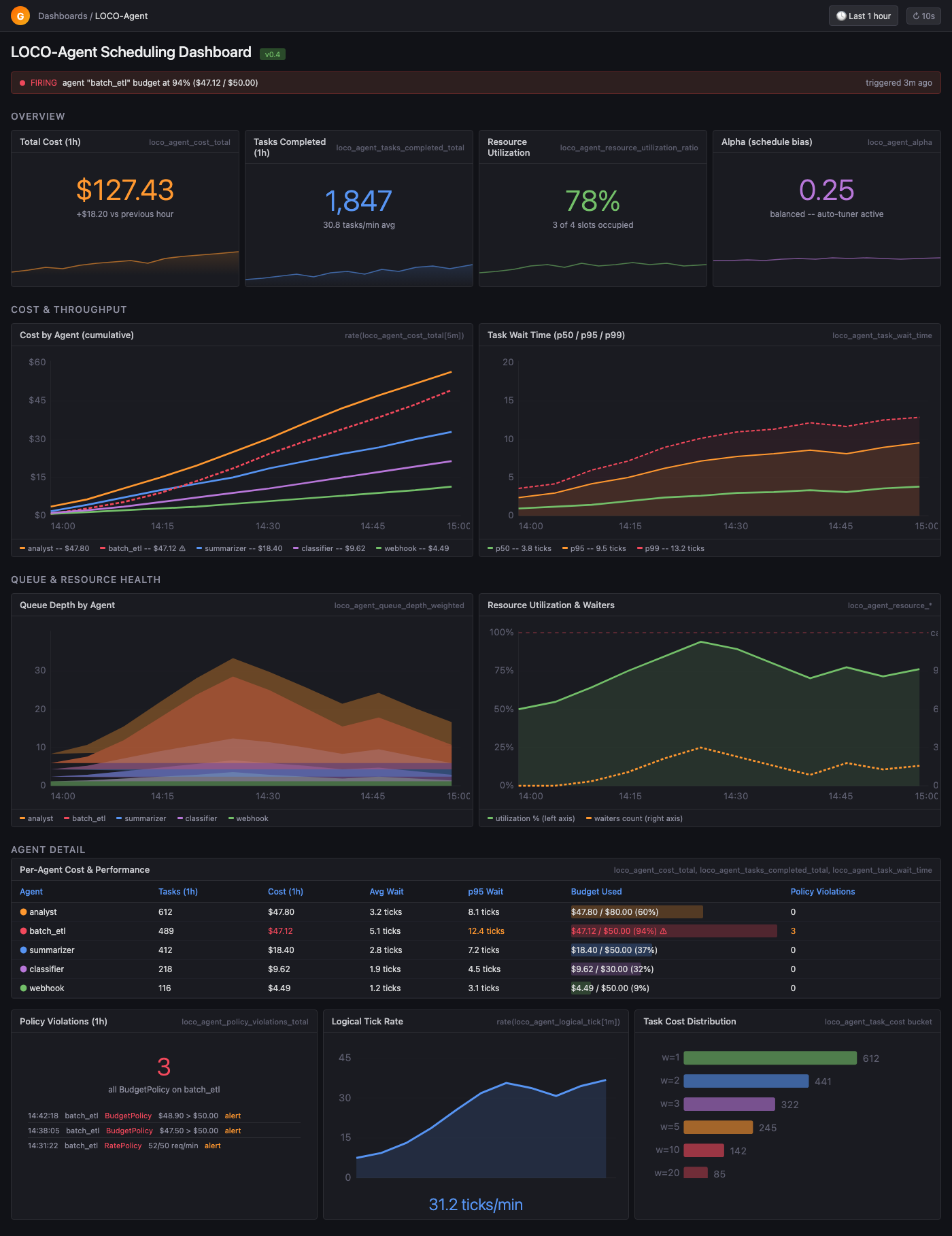
- Prometheus metrics plus an importable Grafana dashboard
One policy layer across the agent zoo.
Your LangChain batch job, ADK webhook handler, OpenAI assistant, and Anthropic analyst should not each invent their own concurrency, budget, and attribution rules.
Wrap one call. Keep control.
Start with `loco.wrap()` around any async LLM call. Add adapters, budgets, tenant pools, policy enforcement, and dashboards as the system grows.
import asyncio
import loco

async def call_llm(prompt: str):
    return await your_model_client.generate(prompt)

async def main():
    loco.configure(capacity=3, budget_mode="downgrade")
    loco.set_budget("support", max_cost=25.0)

    await loco.wrap(
        call_llm,
        agent_id="support",
        weight=2.0,
        prompt="summarize customer thread",
    )

    attr = loco.get_scheduler().metrics.attribution
    print(attr.cost_by_model())

asyncio.run(main())
Help define the missing contract.
How should independent monitors express risk? What evidence should justify containment? How should a fleet recover without masking starvation or losing useful work? We are turning those questions into benchmarks, interfaces, and falsifiable claims in public.